
New accounts
New commander accounts must be approved manually by Jake before they can create or manage operations. After creating an account, send Jake a message so he knows to approve it.
Albion Online Operations Platform
Coordinate small-scale groups, large-scale ZvZ operations, and battle-ready comps all in one platform.
Commander login
Not signed in.
Create commander account
Type in code
Patch notes
New player guide
Quick answers for commanders, signups, Discord rosters, and getting assigned.
New accounts
New commander accounts must be approved manually by Jake before they can create or manage operations. After creating an account, send Jake a message so he knows to approve it.
How players sign up
Players sign up through Discord using the roster message buttons. Website operation links are mainly for viewing the current roster and planned comp.
Picking weapons
When signing up, choose the weapons you can play from the Discord dropdowns. The available weapon choices come from what the commander has placed on the sheet. If your exact weapon or role is not listed, use one of the fill options.
Fill options
Use Fill, Fill DPS, Fill Support, Fill Healer, or Fill Tank if you are willing to be placed where the commander needs you.
Getting assigned
Signing up does not automatically confirm your final role. A commander will drag you into a party slot. Once assigned, Discord will show your assigned weapon and build.
Viewing your build
Use View My Slot in Discord to see your current assignment. If you have not been assigned yet, it may show build information for the weapons you selected, but that does not mean you are confirmed for that role.
Removing yourself
Use Remove Me in Discord if you need to cancel your signup. This frees your name so you can sign up again correctly if needed.
Operation code
The operation code opens the public operation page. This page shows the current planned comp and roster, but signups are handled through Discord.
Commander notes
Always read the operation notes and Discord messages. Commanders may update builds, party assignments, or instructions before the mass starts.
Need help?
If something looks wrong, message Jake or the commander running the operation.
Albion Online Operations Platform
Commanders build the operation, Discord handles signups, and the website keeps the roster and planned comps readable in one place.
Users sign up in Discord when you create the mass.
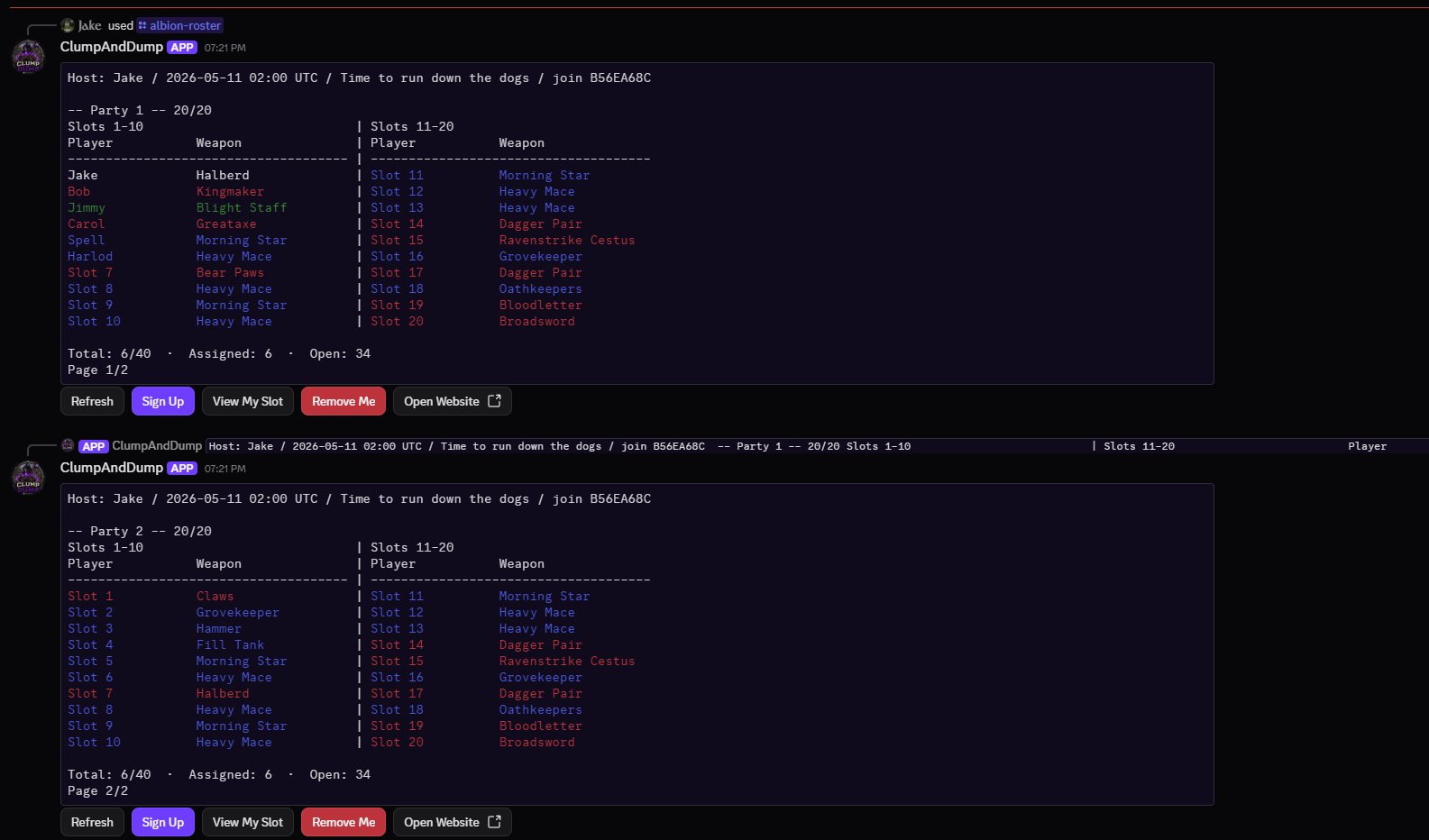
Users push Signup, select from Party 1 or Party 2 roles, and then push Continue when they are satisfied with their choice.

Users get confirmation that they are signed up for one of the two roles.

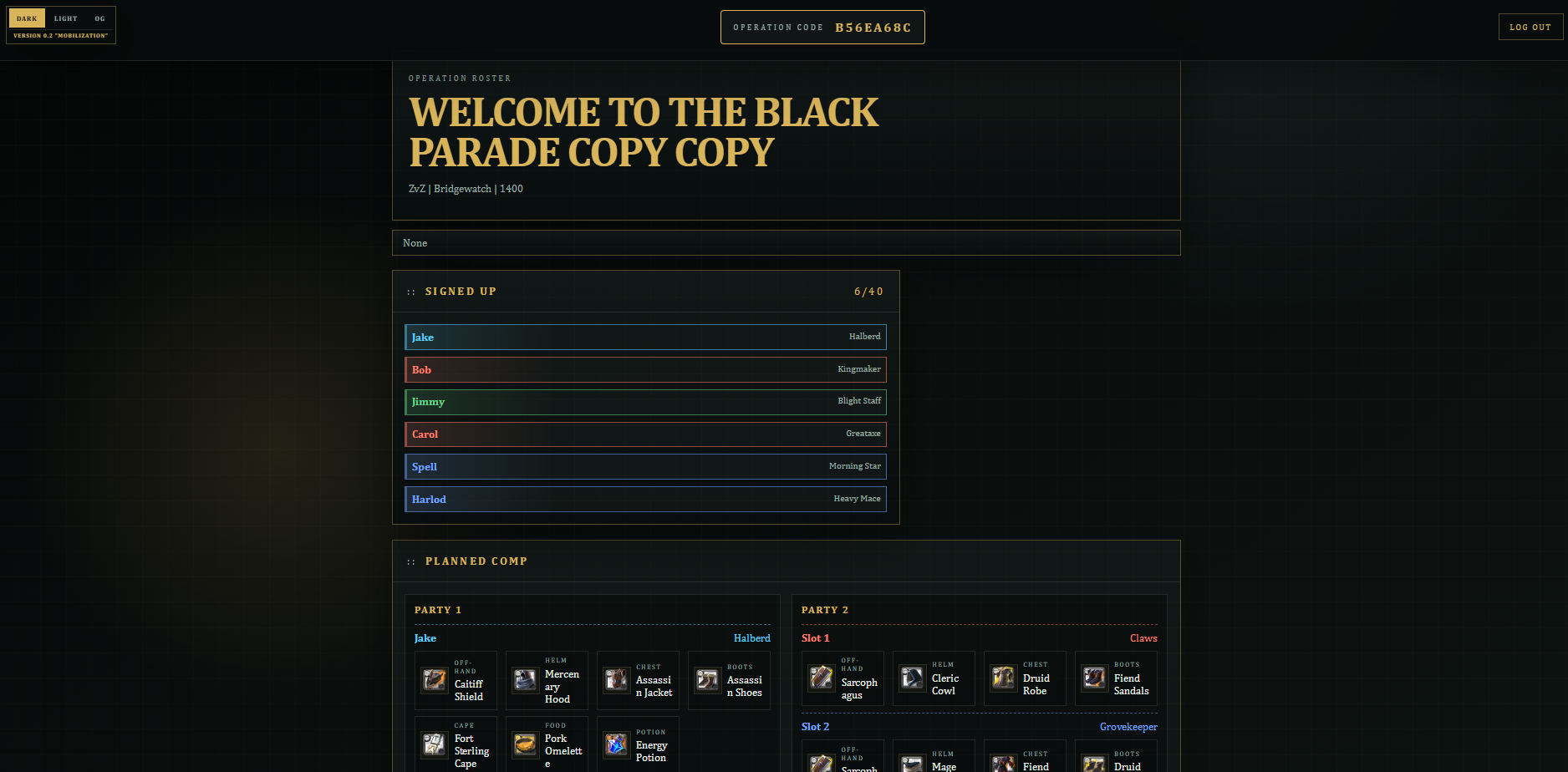
Users may click View My Slot to show builds for the two weapons they selected, Remove Me to remove their signup, and Open Website to open the full party build and assigned roster view, which also updates with Discord.

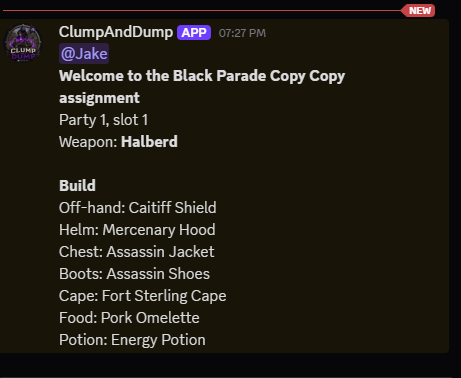
Once the user is assigned a role by the commander on the website, they are tagged in the thread of the first party with assigned role, slot, and build.
Here is an example of the View Website button from the Discord bot. Commanders may also use Copy Link at the top of their dashboard to send the same link for others to view, as the link is the same.
Current operation
Fetching operations.
Commander
Not signed in.
Discord not linked.
Generating a new code cancels any older unused code. Run the Discord command with the newest code to finish linking.
Create operation
Commander access
Choose a new commander password. Reset links expire after 30 minutes.
New password
Operation roster
Fetching commander setup.